





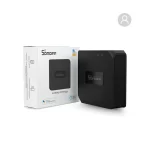
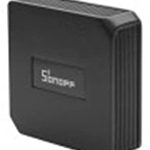

Sonoff DIY RF Bridge R2 433MHz RF Smart Switch

Add up to 16 Sub-devices | Works with Alexa, Google Assistant, Smart Products, Alice | – White
The Sonoff DIY RF Bridge R2 433MHz RF Smart Switch is a versatile smart device designed
to connect traditional RF-based appliances to a Wi-Fi network.
This powerful solution allows you to control RF devices remotely,
automate routines, and enhance your home automation setup.
Key Features
433MHz RF Signal Support: The RF Bridge R2 is compatible with 433MHz RF-controlled devices,
such as remote-controlled gates, security systems, alarms, and more.
Wi-Fi Connectivity: The RF Bridge R2 connects directly to your 2.4GHz Wi-Fi network, enabling remote control
via the eWeLink appApp Control: Using the eWeLink app, users can manage connected RF devices,
create automation scenes, and set schedules for improved convenience.
Voice Control Support: The RF Bridge R2 integrates with Amazon Alexa, Google Assistant, and Siri Shortcuts,
providing hands-free control of RF devices.
Scene Automation: The RF Bridge R2 enables users to create smart scenes that combine
RF appliances with other Wi-Fi-enabled devices for enhanced automation.
Wide Device Compatibility: The RF Bridge R2 can connect up to 16 RF devices, allowing comprehensive
control for security alarms, RF switches, remote controls, and more.
DIY Mode Support: The RF Bridge R2 supports DIY mode, enabling developers to integrate
the device into their custom smart home platforms using REST APIs.
Compact Design: Its sleek and modern design makes it easy to install in various indoor environments.
Common Use Cases
- Security System Control: Connect RF-based security sensors, alarms, or sirens
- for remote monitoring and control.
- Lighting Automation: Link RF light switches or controllers to automate lighting systems.
- Garage Door Management: Integrate with RF-controlled garage doors for remote opening
- and closing via your smartphone.
- Remote Appliance Control: Activate RF-based fans, heaters, or other appliances with ease.
Installation and Setup
- Power On the Device: Connect the RF Bridge R2 to a power source using the provided USB cable.
- Connect to Wi-Fi: Download the eWeLink app, create an account, and follow the pairing
- instructions to connect the RF Bridge R2 to your Wi-Fi network.
- Add RF Devices: Use the app’s interface to pair your RF devices with the RF Bridge R2.
- Configure Automation: Set timers, schedules, and smart scenes to control connected devices efficiently.
Maintenance and Tips for Optimal Performance
- Ensure the RF Bridge R2 is positioned in a location with a strong Wi-Fi signal to ensure stable connectivity.
- Place the device centrally to maximize its RF signal coverage.
- Regularly update the eWeLink app and firmware for enhanced security and feature updates.






Reviews
There are no reviews yet.