





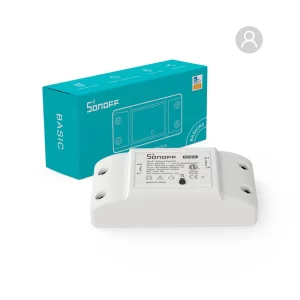
SONOFF RF 1 GANG RFR2

A Smart Solution for Remote Control
The SONOFF RF 1 GANG RFR2 is a versatile smart switch designed to provide wireless control over home appliances
and devices. With integrated 433MHz RF functionality and Wi-Fi connectivity,
Key Features
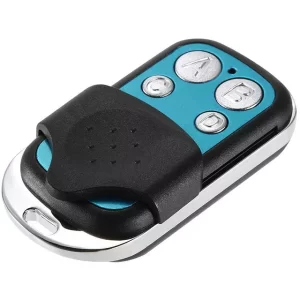
- 433MHz RF Control: The SONOFF RFR2 is equipped with a 433MHz RF receiver, allowing it to be paired
- with RF remotes for simple, non-Wi-Fi control.
- Wi-Fi Connectivity: The switch connects seamlessly to your home Wi-Fi network, enabling remote control through the eWeLink app.
- App Control: Users can turn devices on or off, set timers, and create schedules directly from their smartphone, enhancing convenience and energy efficiency.
- Voice Control: Compatible with Amazon Alexa and Google Assistant, the SONOFF RFR2 supports hands
- free voice commands.
- DIY Mode: The switch supports integration with custom automation platforms such as Home Assistant, thanks to its compatibility with MQTT.
- Safety Features: The device includes overload protection and insulation for enhanced safety.
SONOFF RF 1 GANG RFR2
Common Use Cases
- Lighting Control: Easily turn indoor and outdoor lights on or off via app or RF remote.
- Appliance Management: Control fans, heaters, or other devices remotely for improved energy management.
- Remote Access: Ideal for controlling devices in hard-to-reach areas, such as outdoor light or ceiling fans.
- Home Automation: Combine with motion sensors or smart scenes to create routines.
Installation and Setup
- Power Off Devices: Before installation, ensure the power supply to the targeted appliance is turned off.
- Wire the Switch: Connect the SONOFF RFR2 following the wiring diagram provided in the manual.
- Download the eWeLink App: Create an account and follow the in-app steps to connect the switch to your Wi-Fi network.
- Pair with an RF Remote: Activate pairing mode on the switch, press a button on the RF remote, and complete the pairing process.
- Automation and Scheduling: Use the app to create smart scenes, schedules,
- and routines for control.
Tips for Enhanced Performance
- Ensure the RF remote is within the range (typically 15-30 meters) for optimal performance.
- For added security, use the app password protection features to prevent unauthorized control.
- Regularly update the switch firm ware to ensure compatibility with new and integrations.




Reviews
There are no reviews yet.