





Original price was: 25999 EGP.24999 EGPCurrent price is: 24999 EGP.

Original price was: 1660 EGP.1499 EGPCurrent price is: 1499 EGP.


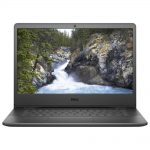
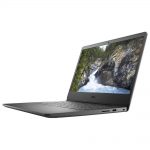

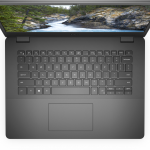
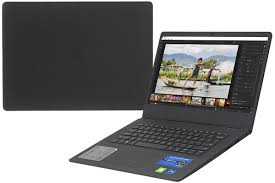
The Dell Vostro 3400 i7-1165G7 is a versatile and reliable laptop designed for professionals, students,
and small business owners. Equipped with an Intel Core i7-1165G7 processor,
8GB of RAM, and a range of modern features, this laptop delivers solid performance for daily tasks and productivity applications. In this review, we’ll dive into its key features, performance, design, and overall value.
The Dell Vostro 3400 is powered by the processor, a 4-core, 8-thread chip from Intel’s 11th generation.
With a base clock speed of 2.8 GHz and a turbo boost capability of up to
is built to handle a variety of tasks with ease. Whether you’re browsing the web, working on spreadsheets, creating documents, or even engaging in light photo editing, this processor ensures smooth and efficient performance.
In combination with 8GB of RAM, multitasking is a breeze. You can easily switch between applications without any lag or noticeable slowdown. This makes the Vostro 3400 ideal for productivity tasks such as running Microsoft Office, web browsing, video conferencing, and managing multiple apps at once.
Thefeatures a 14-inch Full HD (1920×1080) display, offering crisp and clear visuals for both work and leisure
. The IPS panel ensures consistent color reproduction and wide viewing angles,
making it easier to share content or work with others in a collaborative setting. The screen is bright enough for indoor use, though it may struggle a bit under direct sunlight.
As for the design, the maintains a sleek, professional aesthetic.
The laptop’s chassis is made of durable plastic, which is both lightweight and sturdy.
It’s slim and compact, making it easy to carry around in a bag or backpack. Despite being budget-friendly,
the build quality of the Vostro 3400 feels solid and well-constructed, making it an ideal choice for daily commuters or business travelers.
The Vostro 3400 is equipped with , which significantly boosts performance compared to traditional hard drives.
The SSD ensures faster boot times, quick file transfers, and overall improved system responsiveness.
Whether you’re opening large files or running applications, the 512GB SSD keeps everything running efficiently.
In addition to the SSD, the 8GB of RAM is sufficient for most users, providing smooth multitasking capabilities. It can handle several apps open simultaneously, making it suitable for professional and educational environments where productivity is key. While 8GB RAM is standard for most users, those who need more power for heavier applications or extensive multitasking might consider an upgrade.
The offers respectable battery life with its Under typical use, such as web browsing, document editing,
and media consumption, the laptop can last anywhere from 6 to 8 hours. For users who need to work on the go or attend classes without being near a power outlet, the battery life of the should suffice for a full workday.
For power users who run more intensive applications, battery life may vary, but overall
, it holds up well for everyday tasks.
The 0 is equipped with a comprehensive set of connectivity options to ensure
you can connect to all your devices and peripherals. The laptop includes:
The laptop supports Wi-Fi 6 for faster and more reliable wireless connectivity,
as well as Bluetooth 5.0 for seamless pairing with wireless peripherals like headphones or mice.
These connectivity options provide the flexibility to connect to a variety of devices without any hassle.
The Dell Vostro 3400 features a comfortable, full-size keyboard with well-spaced keys that provide a satisfying typing experience. The keys offer decent travel and tactile feedback, making it suitable for long typing sessions,
whether you’re drafting documents, writing emails, or working on spreadsheets.
The precision touchpad is responsive, supporting multi-touch gestures like scrolling, zooming
, and switching between apps. It allows for smooth navigation and is accurate enough for most tasks,
whether you’re editing documents or browsing the web.
Security is a key focus for the , which comes with several built-in features to keep your data safe
. The laptop includes a fingerprint reader integrated into the power button,
allowing for quick and secure logins. Additionally, it features TPM 2.0 (Trusted Platform Module),
a hardware-based security feature that encrypts sensitive data and enhances system security.
These security features make the an excellent choice for business users who need to ensure their data remains protected.




Reviews
There are no reviews yet.