





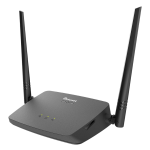
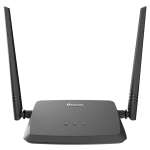

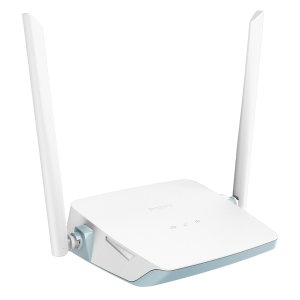
D-Link DIR 612 Wireless N300
ROUTER
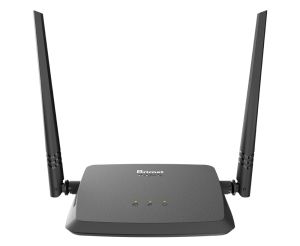
Wireless N300 Router
DIR-612
The DIR-612 Wireless N300 Router is an attractive, high-performance router that makes it easy to
share your broadband Internet connection with all your devices. Simply connect it to your broadband
modem, then use the web-based Setup Wizard that guides you step by step through the configuration process.
- Set up in minutes with the D-Link setup wizard
- IEEE 802.11n/g technology
- Supports wireless encryption using WPA™ or WPA2™
- Fast Ethernet ports (WAN/LAN) to share high-speed Internet access with computers and game
- High-gain antennas to enhance Wi-Fi coverage around your home
- Supports Wi-Fi Protected Setup (WPS)

Specifications
Product Description Wireless N 300 Router
LAN 4 (10/100)
Static IP Yes
WPS (Wi-Fi Protect Setup) Yes
PPPoE (IPv6 over PPPoE) Yes
WPA2-PSK (Personal) Yes
Guest Zone N/A
Wireless Speed 300Mbps
SDRAM 8MB
Flash 2MB
Antenna Type External Fixed Antenna (2×2)
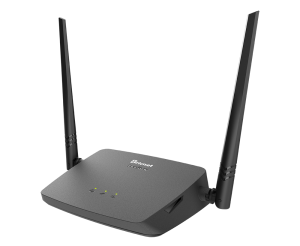
WAN 1(10/100)
USB 2.0/3.0 N/A
Dynamic IP (DHCP) Yes
PPPoE Yes
PPTP Yes
L2TP Yes
WPA-PSK (Personal) Yes
mydlink SharePort N/A
D-Link SharePort Mobile N/A
Static IPv6 Yes
D-Link QRS Mobile N/A
D-Link DIR 612 Wireless N300
is a wireless router that supports the Wireless N300 standard. It is designed
to provide high-speed wireless connectivity to devices in a home or small office environment.
Here are some of the key features and specifications of the
– Wireless N300 technology: The DIR-612 supports the 802.11n wireless standard, which provides
speeds of up to 300Mbps. This makes it suitable for streaming media, online gaming, and other high-bandwidth applications.
– Four Ethernet ports: The router has four Fast Ethernet ports that allow you to connect
wired devices such as desktop computers, printers, and network-attached storage (NAS) devices.
– Security features: The DIR-612 supports WPA/WPA2 encryption to protect your wireless network
from unauthorized access. It also has a built-in firewall to help prevent attacks from the Internet.
– Easy setup: The router comes with a setup wizard that guides you through the process
of setting up the device and connecting it to your Internet service provider.
– Guest network: The DIR-612 supports a guest network feature, which allows you to create
a separate wireless network for guests to use. This network is isolated from your
main network and does not allow access to your local network resources.
– Quality of Service (QoS): The router supports QoS, which allows you to prioritize certain types
of network traffic over others. This can be useful for ensuring that time-sensitive applications
like online gaming and video streaming receive priority over less critical traffic.
Overall, the is a solid choice for a budget-friendly wireless router that provides good performance and security features.






Reviews
There are no reviews yet.