









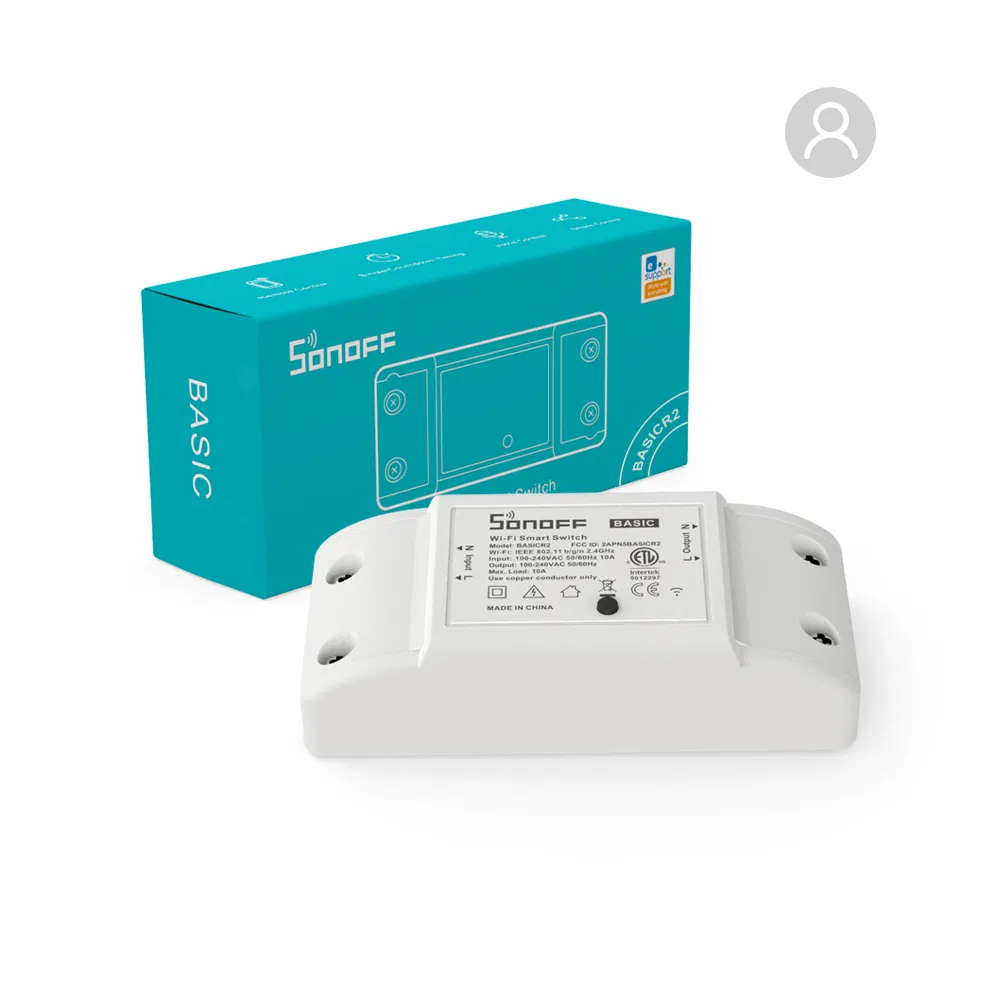
SONOFF BASIC R2
SONOFF BASIC R2: A Simple yet Powerful Smart Switch
The SONOFF BASIC R2 is an affordable and reliable smart switch designed to add remote control capabilities to standard appliances. With its Wi-Fi connectivity and app integration, it offers a seamless way to upgrade your home automation setup.
Key Features
- Wi-Fi Connectivity: The SONOFF BASIC R2 connects directly to your Wi-Fi network, allowing you to control appliances remotely via the eWeLink app.
- App Control: Users can switch devices on or off, schedule operations, and monitor power usage through the intuitive eWeLink interface.
- Voice Control Support: Compatible with Amazon Alexa and Google Assistant, enabling hands-free control for enhanced convenience.
- Timer and Scheduling: Set countdowns, schedules, or loop timers to automate device operation and improve energy efficiency.
- DIY Mode: For tech enthusiasts, the SONOFF BASIC R2 supports integration with platforms like Home Assistant, enabling custom automation via MQTT or REST APIs.
- Enhanced Safety: The device features flame-retardant housing, enhanced insulation, and upgraded wiring terminals for improved durability and security.
Common Use Cases
- Lighting Control: Automate indoor and outdoor lighting for added convenience and energy savings.
- Appliance Management: Remotely manage fans, heaters, or coffee machines through the app.
- Home Security: Use the scheduling feature to create an “away mode” by randomly turning lights on and off when you’re not home.
- Garage Door Automation: Control garage doors or similar systems with ease using the app or voice commands.
Installation and Setup
- Power Off Devices: Ensure the power supply is turned off before wiring the SONOFF BASIC R2.
- Connect the Wires: Follow the wiring diagram provided in the manual for secure connections.
- Download the eWeLink App: Create an account and add the device to your network using the in-app instructions.
- Pair with Voice Assistants: Enable the eWeLink skill in Alexa or Google Home for hands free control.
- Create Automation Rules: Use the app to set timers, schedules, and smart scenes for control.
Tips for Optimal Performance
- Install the SONOFF BASIC R2 in a well ventilated area to ensure heat and avoid.
- Regularly update the device firm ware for improved stability
- If integrating with Home Assistant, follow the MQTT setup guide for secure communication.
Product Documents
Based on the classic BASIC, SONOFF constantly extends the product ,
as well as improves and product performance in . Ultimately, BASICR2 with ETL comes out





المراجعات
لا توجد مراجعات بعد.