





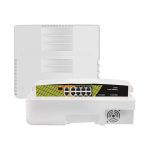
Genata Waterproof PoE Switch 120w
6FE(PoE) 10/100Mbps
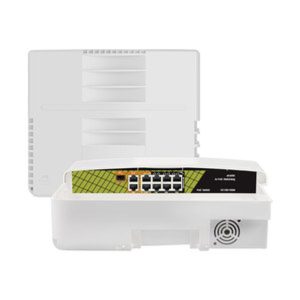
The Genata Waterproof PoE Switch 120W 6FE (PoE) 10/100Mbps is a powerful and durable networking
device designed to deliver seamless data transmission and power supply for IP cameras,
wireless access points, and other PoE-enabled devices.
With its robust waterproof design and efficient power management capabilities,
Key Features
6 Fast Ethernet Ports (FE): The switch includes 6 PoE-enabled ports with 10/100Mbps speeds,
Power over Ethernet (PoE): With 120W total power budget, this switch can efficiently power connected devices,
reducing the need for additional power cables.
Waterproof Design: The switch is enclosed in a weatherproof IP65-rated casing, offering protection against
water, dust, and extreme temperatures, making it suitable for outdoor installations.
Plug-and-Play Installation: The Genata PoE switch is designed for ease of use,
with no need for complex configuration. Simply connect your devices, and the switch automatically
identifies and powers PoE-enabled equipment.
Port Isolation Feature: This function enhances network security by isolating the PoE ports from each other,
reducing the risk of broadcast storms and ensuring stable performance.
Wide Operating Temperature Range: The device is engineered to operate efficiently in harsh environments
with temperatures ranging from -30°C to 60°C, ensuring reliable performance year-round.
Surge Protection: Built-in surge protection enhances device safety by guarding against voltage spikes,
ensuring long-term stability and protection of connected equipment.
Common Use Cases
- IP Surveillance Systems: The switch is ideal for powering IP cameras in outdoor environments,
- Wireless Access Points: Ensures stable connectivity and power for outdoor Wi-Fi devices in public spaces, gardens,
- or industrial areas.
- Remote Monitoring Systems: Suitable for powering sensors, alarm systems, and monitoring equipment in challenging environments.
- Outdoor Network Expansion: The waterproof design allows installation in exposed locations,
- ensuring dependable network coverage for remote devices.
Installation and Setup
Mount the Switch: Install the Genata PoE switch in a secure, waterproof location for optimal performance.
Connect Power Supply: Ensure the device is connected to a reliable power source
that meets the required specifications.
Connect Network Devices: Plug your PoE-enabled devices into the available ports .
The switch will automatically detect and supply power to compatible equipment.
Verify Connectivity: Check the status LEDs on the switch to confirm stable connections and power delivery.
Optimize Network Layout: For enhanced security and performance, enable the port isolation
Maintenance and Tips for Optimal Performance
- Regularly inspect the switch’s waterproof seals to ensure they remain intact and functional.
- Position the switch in shaded or covered locations to minimize exposure to extreme weather conditions.
- Use high-quality Ethernet cables rated for outdoor use to ensure stable data transmission over long distances.
- Periodically clean the device’s vents to prevent dust accumulation, ensuring proper ventilation and heat dissipation.




المراجعات
لا توجد مراجعات بعد.